
Say It or Scan It: Expenses That Enter Themselves (iOS)
The iOS app now logs expenses from voice or a receipt photo, because capture friction is why spending data goes stale.

The gas station receipt sat in the console for two weeks before I typed it in, and by then it had joined a small pile of other receipts I was not going to type in either. Mayur does the same thing with his coffee habit — he knows the number is wrong every month, just wrong in a way too small to bother correcting. Neither of us is lazy about tracking, exactly. We just both hit the same wall every time: opening an app, tapping through fields, typing an amount, is friction, and friction wins more often than good intentions do.
Two ways in, both hands-free
So the iOS app now has a quick-capture drawer for expenses with two paths that skip the typing entirely.
Voice lets you dictate naturally — "forty dollars gas yesterday, sixty groceries at Costco" — and on-device extraction turns that into one or several expense entries at once. Say two things in one breath and you get two entries, not one merged mess: forty dollars tagged to gas, dated yesterday, and sixty dollars tagged to groceries at Costco, split apart automatically instead of landing as a single garbled line. Each one shows up with a confidence indicator before it saves, and a low-confidence parse asks you to confirm rather than quietly guessing at what you meant. That confirmation step is the part that sold me on it — I would rather be asked once than have a wrong number sit uncorrected for a month, which is exactly what used to happen with the receipt in the console.
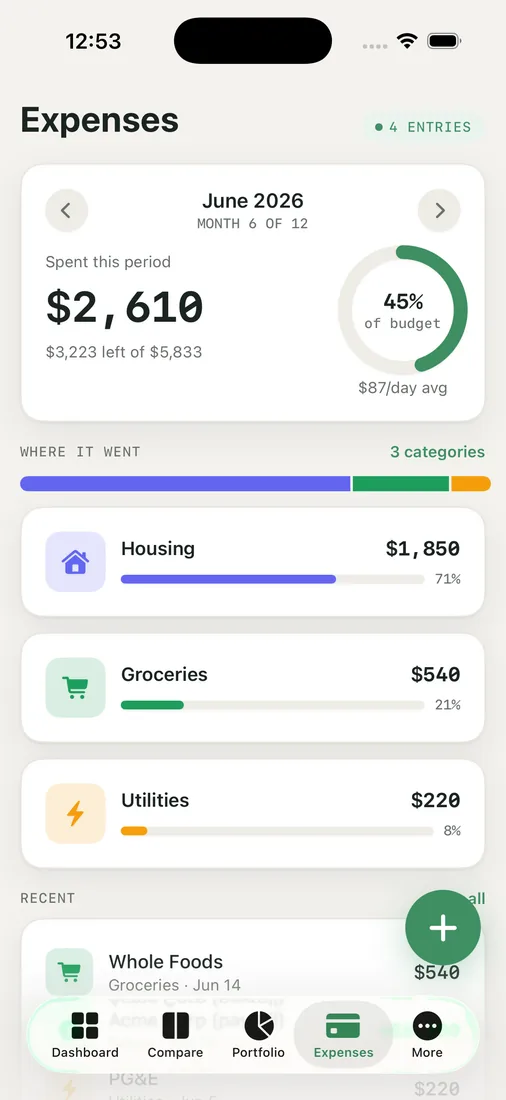
Receipt scan is the other path: point the camera at a receipt using VisionKit, and the amount, payee, and date get parsed straight off it. The receipt image itself is stored with the expense, so if a parsed amount ever looks off, the actual receipt is sitting right there to check against.
Both paths are built to survive a flaky connection without making things worse — retries and dropped submissions never create duplicate entries, because the submission itself is idempotent. A parse that succeeds twice because your signal blipped should not turn into two charges on your ledger.

Why this lives in a retirement app at all
It would be easy to file expense capture under "nice to have" and move on, except spending is not a side detail in a retirement plan — it is the single assumption that moves most plans the most. Every voice note and every scanned receipt feeds the derived monthly spending baseline the rest of the app relies on, and a baseline built from two weeks of unlogged gas receipts is not a baseline you should trust a thirty-year plan to. The math downstream can be as careful as it wants; if the spending number feeding it is stale because logging it was annoying, the whole plan inherits that staleness.
Speech recognition and the extraction step both run on the device. Nothing about lowering the friction to log an expense should mean handing more of your data somewhere else.
Key takeaways
- Voice capture turns natural dictation into one or many expense entries, each flagged with a confidence indicator before saving.
- Receipt scan (VisionKit) parses amount, payee, and date from a photo and keeps the receipt image with the entry.
- Idempotent submission means retries on a flaky connection never create duplicate expenses.
- Speech recognition and extraction run on-device, and the payoff is a spending baseline that stays current instead of going stale.
If a pile of unlogged receipts is quietly making your spending assumption wrong, open the iOS app and try saying the next one instead of typing it.


